The 5 Best GitHub README Stats Alternatives
github-readme-stats became the default way to add a stats card to a
GitHub profile README. It is popular for a good reason: the SVG API is simple,
the project is open source, and a basic card can be embedded with one Markdown
line.
But the default tool is not always the best fit. You may want a layout that does not look like every other profile. You may need PNG export for a portfolio or launch post. You may want one card that combines profile stats, repository signals, language charts, and custom text without managing several unrelated README widgets.
This guide compares five practical alternatives and helps you choose the right one for your README, portfolio, blog, or open-source project page.
TL;DR comparison
| Tool | Best for | Interface | Output | Self-host |
|---|---|---|---|---|
| GitHubCard | Visual profile and repo cards | Drag-and-drop canvas | SVG, PNG, published links | No |
| github-readme-stats | Config-driven stats cards | URL parameters | Live SVG | Yes |
| GPRM | Full README scaffolds | Guided form | Markdown | No |
| Profile README Generator | Beginner-friendly README setup | Checkbox form | Markdown | No |
| gh-card | Lightweight repo embeds | URL endpoint | SVG | Yes |
1. GitHubCard
GitHubCard is the visual alternative. Instead of configuring a fixed SVG with query parameters, you design a profile card or repository card on a canvas. You can add widgets for stats, streaks, languages, contribution activity, repository metrics, star history, contributors, and custom text.
Choose GitHubCard if you want a card that looks intentional rather than assembled from mismatched widgets.
Pros
- Drag-and-drop layout control for profile and repository cards.
- SVG export for READMEs and PNG export for portfolios or social posts.
- One visual language across stats, languages, streaks, and repo widgets.
- Useful when you want both profile cards and repository cards.
Cons
- Not self-hosted.
- More editor surface than you need if you only want one default stats SVG.
Best use case
Use GitHubCard when you care about presentation: a portfolio README, a project launch page, a blog post, a resume site, or a profile that should not look like everyone else's.
Open the GitHubCard profile card generator
2. github-readme-stats
github-readme-stats is the incumbent. It gives you live SVG cards through a
URL-based API, with configuration handled through query parameters. It is still
an excellent choice when you want something familiar, open source, and easy to
self-host.
Pros
- Familiar to many GitHub users.
- Open source and self-hostable.
- Good for basic stats and language cards.
- Simple Markdown embed.
Cons
- Layout customization is parameter-based, not visual.
- PNG export is not the default path.
- Many profiles end up with a similar visual shape.
Best use case
Use github-readme-stats when you want a reliable default stats card and you
are comfortable editing Markdown URLs.
3. GPRM
GPRM is a guided README builder. It helps you assemble a broader profile README with sections for intro copy, socials, skills, stats, and other common blocks.
Pros
- Good structure for people starting from a blank README.
- Faster than writing a profile README by hand.
- Useful when you want more than a single visual stats card.
Cons
- Less visual control over final card layout.
- Better for README scaffolding than for reusable image assets.
Best use case
Use GPRM when you need a whole README skeleton and want a guided form to get there quickly.
4. Profile README Generator
The Profile README Generator by Rahul Jain is one of the classic checkbox-style builders. You choose the sections, skills, and social links you want, then copy the generated Markdown.
Pros
- Beginner-friendly.
- Fast path to a complete profile README.
- Good library of common developer profile sections.
Cons
- Many generated READMEs feel visually similar.
- Design control is limited compared with a canvas editor.
Best use case
Use it when you are setting up your first profile README and want something usable today.
5. gh-card
gh-card focuses on repository cards. It is a lightweight SVG endpoint for
embedding a GitHub repository mention in a website, blog post, or README.
Pros
- Very simple repository embeds.
- Good for inline project mentions.
- Self-hostable if you want control over the endpoint.
Cons
- Repository cards only.
- Limited visual customization.
Best use case
Use gh-card when you want a quick repo card and do not need a full visual
editor.
Which GitHub README stats alternative should you choose?
Choose based on the job you are trying to finish:
- You want visual control and SVG or PNG export: use GitHubCard.
- You want the familiar self-hostable stats API: use
github-readme-stats. - You want a whole README scaffold: use GPRM or Profile README Generator.
- You want a simple repository embed: use
gh-cardor the GitHubCard repo card generator. - You want profile cards and repository cards in the same design system: use GitHubCard.
Markdown examples
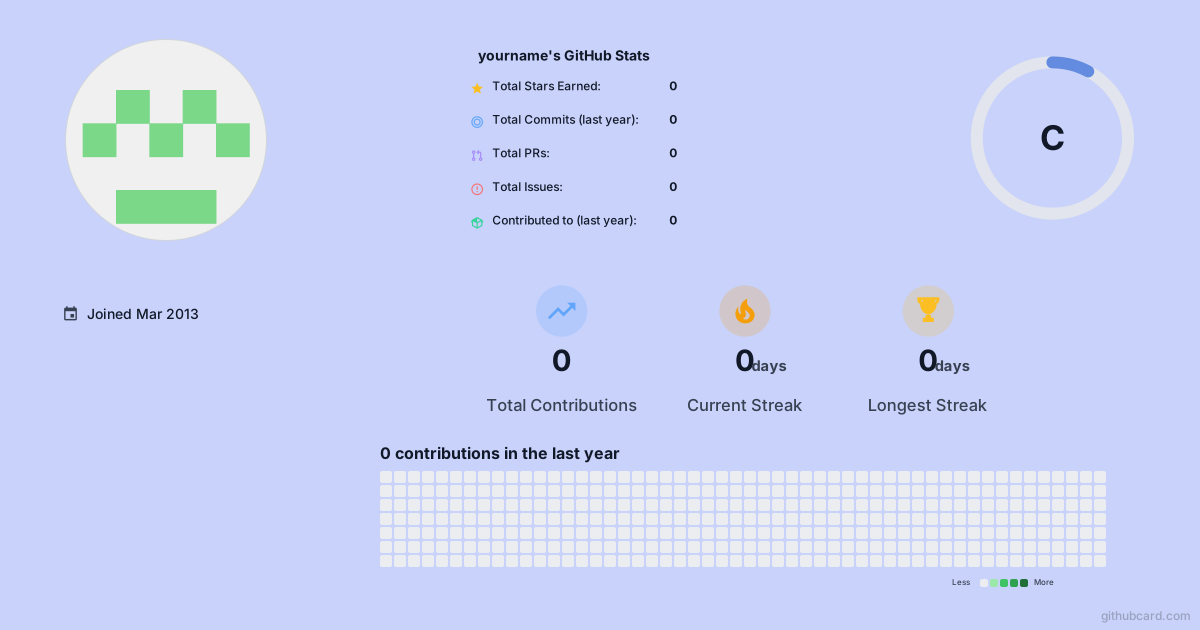
For a live profile card:
For a repository card:

For a published fixed snapshot:

FAQ
What is the best GitHub README stats alternative?
The best alternative depends on your workflow. GitHubCard is strongest when you
want visual layout control and SVG or PNG export. github-readme-stats is best
when you want an open-source SVG API that you can self-host.
Is GitHubCard an alternative to github-readme-stats?
Yes. GitHubCard can replace a basic stats card, but it is broader than
github-readme-stats because it includes a visual canvas, profile and
repository widgets, SVG export, PNG export, and publishable card links.
Can I still use github-readme-stats with GitHubCard?
Yes. Many developers keep existing README widgets while they test a new card. GitHubCard is most useful when you want to consolidate several widgets into one designed card.
Which option is best for beginners?
Beginners who want a complete README scaffold may prefer a guided README generator. Beginners who want a polished visual card without URL parameters can start with GitHubCard.
Start with a visual card
If your README already has enough badges and scattered widgets, the next upgrade is not another parameter string. It is a card that looks like it belongs to you.
Turn this into a card
Turn the ideas from this article into an editable GitHub profile card, repo card, or README section.